Posts

Showing posts with the label dependencies

Install dependencies while using a *.deb package

PROBLEM: Let us say that I have package named name.deb and I need to install it using the terminal. But if I use  sudo dpkg -i name.deb then it will install the package only, but not the dependencies. So, what should we do? SOLUTION: The solution is very sim ple. We can use  gdebi to install the package along with its dependencies. To use gdebi we need to install the package  gdebi-core Open a terminal and type the following: sudo apt-get install gdebi-core Now you can install your package using the following command: sudo gdebi name.deb
How do I resolve unmet package dependencies?

Image
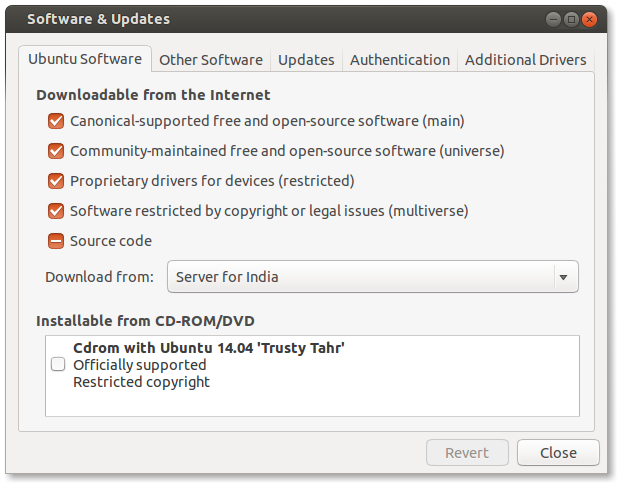
PROBLEM: The most common problem that Ubuntu users face is unmet dependencies. Some packages could not be installed. This may mean that you have requested an impossible situation or if you are using the unstable distribution that some required packages have not yet been created or been moved out of Incoming. The following information may help to resolve the situation: The following packages have unmet dependencies:  package1 : Depends: package2 (>= 1.8) but 1.7.5-1ubuntu1 is to be installed E: Unable to correct problems, you have held broken packages. What can we do to resolve this: SOLUTIONS: If the error shows something like this: <some-package>: Depends: <other-package> (= version) but this-version is to be installed Then make sure that the restricted and universe repositories are enabled. Press  Alt+F2 , type software-properties-gtk and hit Enter or search for software & updates   in the dash. Under Ubuntu Software tab, enable all the repositories....