Coloured man pages!
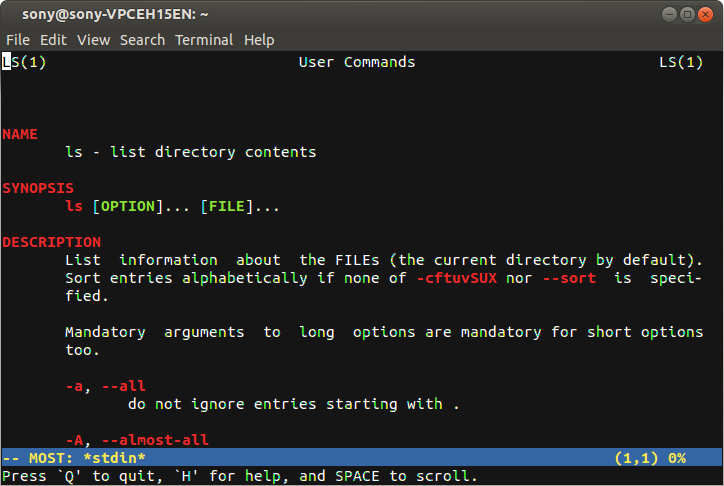
Are you bored from viewing monochrome(black & white) man pages? Let's make the world a little bit colorful. coloured man page Colored man pages allow for a clearer presentation and easier digestion of the content. Let's see how to do it. Method 1: Open a terminal and type the following codes: sudo apt-get install most export PAGER="most" That's it now open your favorite man pages and you will be awestruck to see colored man pages. Method 2: This method has the advantage that less has a bigger feature set than most , and is the default for viewing man pages. Add the following to a shell configuration file. All that needs to be done is to export bold and underline values of termcap. Adding the values to the ~/.bashrc will make sure that they are always used: # Less Colors for Man Pages export LESS_TERMCAP_mb=$'\E[01;31m' # begin blinking export LESS_TERMCAP_md=$'\E[01;38;5;74m' # begin bold export LESS_TERMCAP_me=$'\E[0m'...